
Originally Posted On: https://studycat.com/blog/8-features-that-separate-a-genuinely-effective-children-language-app-from-the-rest/
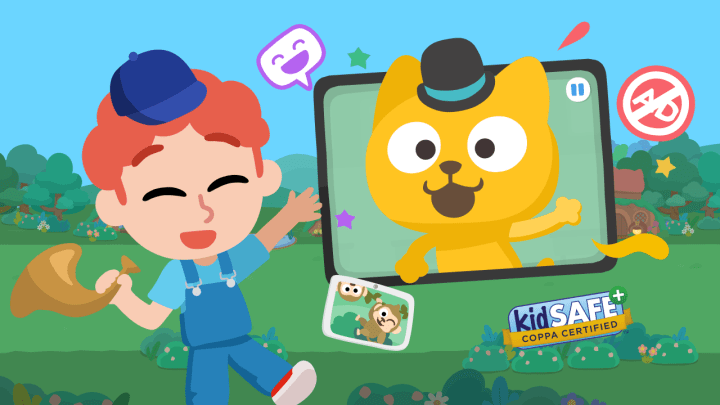
Realistically, a handful of features do the heavy lifting. Get those right and a child stays engaged, speaks out loud, and actually retains vocabulary. Get them wrong, and you're paying for a glorified flashcard app with better animation.
Top Picks at a Glance
-
Game-based lessons — vocabulary through play, not drills
-
VoicePlay speaking practice — real pronunciation feedback in English and Spanish
-
No reading required — audio and visual cues for independent use
-
Ad-free, KidSafe listed — a space you don’t need to babysit
-
Up to 4 learner profiles — siblings keep separate progress
-
Weekly learning reports — badges that show completed lessons
-
Adventure mode learning path — vocabulary, pronunciation, and understanding in order
-
7-day free trial — no credit card, cancel anytime
Download ten different children’s language apps, and you’ll notice something odd: eight of them look almost identical after the first lesson. Same tap-the-picture games. Same cartoon mascot cheering every answer. Same vague sense that your kid is having fun but maybe not learning much of anything.
Here’s the honest answer: most children’s language app options are built for the app store screenshot, not for the actual kid sitting on the couch at 4pm asking to “play the Spanish game” again tomorrow. Parents figure this out fast, usually within a week, when the novelty wears off, and the tapping starts feeling repetitive rather than educational.
So what actually separates the apps kids keep coming back to from the ones gathering digital dust? It’s not flashier graphics or a longer word list. It comes down to specific design choices — how speaking practice is handled, whether a 4-year-old can use it without reading a single instruction, whether parents get real feedback instead of a progress bar that means nothing.
Realistically, a handful of features do the heavy lifting. Get those right and a child stays engaged, speaks out loud, and actually retains vocabulary. Get them wrong, and you’re paying for a glorified flashcard app with better animation.
Why Most Language Apps for Kids Fall Flat
Picture a Tuesday evening: dinner’s done, the tablet comes out, and a five-year-old taps through ten screens of matching games without saying a single word out loud. That’s the trap. A lot of apps marketed as a children language app lean on passive tapping instead of real speaking practice, and kids notice the repetition fast — even if the parent doesn’t at first.
What Parents Actually Notice in the First Week
By day three or four, the pattern shows itself. Either the child is repeating words unprompted at the dinner table, or they’ve quietly stopped opening the app. There’s rarely a middle ground. Parents watching closely also start asking whether the vocabulary sticks after the screen turns off, not just during the session.
The Gap Between Marketing Claims and Real Classroom-Style Learning
Recent research covered in Studycat releases findings on family habits with children’s English language apps found that families want structure that mirrors good classroom instruction — short bursts, repetition, and speaking practice — not just flashy animation. That gap between promise and daily reality is exactly where the eight features below matter.
1. Game-Based Lessons That Don’t Feel Like Homework
Kids won’t sit through a worksheet twice. That’s just how it is. A genuinely effective children’s language app has to disguise repetition as play, or the whole thing falls apart by day three. The best of the children language android apps on the market build entire lesson arcs around mini-games instead of drills — matching cards, tap-the-picture races, silly animal characters cheering kids on.
How Studycat’s Spanish and French Apps Turn Vocabulary Into Play
Studycat’s Spanish and French apps lean hard into this idea. Instead of flashcard-style vocabulary lists, kids move through an Adventure mode — a virtual town where each stop introduces new words through short games, songs, and stories. No reading required, which matters a lot for a 4-year-old who can’t sound out a single instruction yet.
Does Your Child Ask to Play Again?
Here’s the honest test: does your child beg for one more round, or do they wander off after two minutes? If it’s the latter, the game mechanics aren’t doing their job. Real engagement looks like a kid asking, unprompted, to play again tomorrow.
2. Real Speaking Practice, Not Just Tapping and Matching
Can a child actually learn to speak a language by tapping pictures all day? Not really. Tapping builds recognition, but it doesn’t teach a kid to open their mouth and try. Among children english language apps, the ones worth paying for build in genuine speaking practice, not just multiple-choice matching games dressed up as vocabulary drills.
Why VoicePlay in English and Spanish Changes the Equation
Studycat’s VoicePlay feature has kids speak to play — the app listens and gives real-time feedback at the sound level, right down to individual phonemes. It runs entirely on the device, so nothing gets uploaded or stored. That matters to safety-conscious parents, and it means the pronunciation coaching actually happens in the moment, not after some delay. Right now it’s live in English and Spanish only.
What to Expect When French, German, or Chinese Speaking Features Arrive
Families learning French, German, or Chinese aren’t left with a lesser app — the core games, songs, and vocabulary practice work the same way. Speaking-feedback tools for those languages are still being built out. So for now, expect strong listening and repetition practice, with live pronunciation scoring rolling out later.
3. No Reading Required for Independent Use
Roughly 65% of children ages 2-8 can’t yet read fluently in their own language, let alone a new one — so any app that leans on written instructions is dead on arrival for this age group. A good children’s language tablet app, as the one children language tablet app families use daily, gets around this entirely with icons, spoken prompts, and visual feedback instead of blocks of text.
Audio and Visual Cues That Guide Young Learners on Their Own
A child taps a picture, hears a word, sees a character react. That’s it. No menus to decode, no settings to fumble through. This matters for actual homeschool routines too: a parent can hand over the tablet during a work call and trust the game guides itself, without written directions getting in the way.
Why This Matters More for German and Chinese Than You’d Think
Here’s the thing — German’s compound words and Chinese characters are intimidating even for adults. If a 5-year-old had to read instructions before playing, they’d quit in minutes. Icon-first design removes that wall completely, letting sound and image carry the vocabulary instead.
4. An Ad-Free, Kid-Safe Environment You Don’t Have to Babysit
Most parents assume any app labeled “educational” is automatically safe for a toddler to use alone. That’s just not true. A shocking number of learning apps still run pop-up ads, in-app purchase prompts, or links to unrelated content — stuff a 4-year-old can tap into by accident within seconds. A genuinely effective children’s language app is built ad-free from the ground up, so kids can explore without hitting a wall of distractions.
What KidSafe Listing Actually Means for Your Household
A kidSAFE listing isn’t just a badge on a website. It means independent reviewers checked the app’s privacy practices and content standards against guidelines built for young users. When you’re picking a kids language tablet app, that listing tells you someone else already did the homework you don’t have time for.
Screen Time Without the Guilt
Here’s the thing: screen time gets a bad reputation because so much of it is passive. But guided, ad-free practice sessions are different. No ads means no interruptions, no surprise charges, and no awkward content sneaking in mid-lesson. That’s screen time you don’t have to hover over.
5. Multiple Learner Profiles for Multi-Child Households
Picture two siblings, ages 4 and 7, fighting over the tablet after dinner because one wants Spanish games and the other’s mid-adventure in French. Without separate profiles, that’s a nightly headache — and a fast way to lose interest in the whole idea of practice. A good children’s language app solves this before it becomes a problem.
Keeping Progress Separate When Siblings Share a Device
One shared login means one kid’s wins get buried under another kid’s mistakes. Reports get muddled, badges get mixed up, and nobody can tell who actually finished a lesson. Separate profiles fix that instantly — each child gets their own path, their own pace, and their own sense of progress. It’s a small feature with a big payoff for family sanity.
Setting Up Profiles for a Spanish Learner and a French Learner at Once
Studycat supports up to four learner profiles under one subscription, so a Spanish learner and a French learner can practice side by side without stepping on each other’s progress. Among kids language apps with speaking practice, this setup makes multi-child homes far less chaotic.
6. Progress Reports Parents Can Actually Understand
Most parents can’t read a fluency chart. That’s the blunt truth behind why so many language apps get abandoned within weeks — the data looks nice but tells you nothing useful. A good children’s language app should tell you, in plain words, what your kid actually practiced this week.
Weekly Learning Reports Instead of Vague Progress Bars
Instead of a spinning percentage or a generic “85% complete” bar, look for a report that names the topic, the words practiced, and how many lessons got finished. The Studycat app sends parents a weekly summary that reads more like a note from a teacher than a stat dump — it says what your child worked on, not just how long they sat there.
Badges That Show Real Lesson Completion
Badges matter, but only when they mean something. A badge that appears the moment a lesson finishes tells you your child actually reached the end — not that they tapped around for five minutes and quit. That distinction matters more than parents realize when judging whether the app is actually teaching vocabulary or just holding attention.
7. A Clear Learning Path Across Vocabulary, Pronunciation, and Understanding
Does the app actually go somewhere, or does it just serve up random games with no real order? That’s the question worth asking before you commit to any children’s language app. A genuinely effective one builds vocabulary first, layers in pronunciation practice, then checks understanding through listening — not all three at once, jumbled together.
How Adventure Mode Structures a Chinese or German Learning Journey
Studycat’s Adventure mode works like a small town your child walks through, unlocking new areas as words — phrases stick. For a Chinese or German learner, that means new topics arrive only after earlier ones are practiced — no skipping ahead into confusion. It’s a simple structure, but it’s the reason kids don’t get lost halfway through a lesson.
Songs, Stories, and Worksheets That Reinforce What Was Learned
Games alone don’t cement language. Songs and stories replay the same words in new contexts, and printable worksheets give kids a paper-based way to practice letters and vocabulary offline. Together, these three tools — Studycat included — turn a single lesson into something a child actually remembers next week.
8. A Free Trial That Lets You Test Before You Commit
Here’s a number worth sitting with: most parents abandon a paid kids’ app within 10 days of buying it. That’s a lot of wasted money on something that ended up gathering digital dust. A genuinely effective children’s language app should let you find out if it’s a fit before any card details are involved.
Why a 7-Day Trial With No Credit Card Matters for Subscription Fatigue
A 7-day trial with no credit card required takes the risk out of the equation entirely. You watch your kid actually play — not just tolerate it — before deciding anything. No awkward cancellation scramble, no forgotten renewal charge showing up a month later. That’s the difference between a purchase decision and a guessing game.
Comparing the Spanish, French, German, and Chinese Apps Side by Side
Studycat runs the same structure across Spanish, French, German, and Chinese: games, songs, stories, and printable worksheets, all built around the same no-reading-required design as Studycat English. Pronunciation coaching currently runs on English and Spanish, with the rest catching up. Try one language, and you’ll know what to expect from the others.
How to Choose the Right Language App for Your Child’s Age and Goals
Here’s a myth worth busting: more languages offered doesn’t mean a better fit for your kid. A five-year-old just starting Spanish needs something completely different than an eight-year-old already comfortable with French vocabulary. The best children’s language app for your house depends on where your child sits right now, not on flashy marketing claims about content volume.
Matching the App to Your Child’s Current Language Exposure
If your child has zero exposure, look for apps built around games, songs, and repetition rather than text-heavy lessons. A child who already recognizes basic words needs more speaking practice and less introductory vocabulary. Don’t assume a general school app will fit a 2-8 age range — most weren’t designed for it.
Questions to Ask Before You Subscribe
Before you commit, ask a few blunt questions. Does it work without reading skills? Is there a free trial? Can more than one child use it without mixing up progress? One resource worth checking is this breakdown of how top-rated kids language android apps cut parent help in 10 minutes, which covers exactly the kind of independent-use setup parents should be looking for.
Picking a children’s language app really comes down to what happens after the download — does the child come back to it, or does it sit untouched on page three of the tablet? Games hold attention. Real speaking practice builds confidence. Reports give parents something concrete to point to instead of a vague sense that “it’s probably helping.” None of that happens by accident — it’s built into how the lessons are designed, from the first tap to the badge that shows up when a lesson’s done.
Studycat’s Spanish, French, German — Chinese apps were built around those exact priorities: independent play for kids who can’t read yet, an ad-free space parents don’t have to monitor, and profiles that keep siblings’ progress from getting tangled. That’s a lot of ground covered by one app family.
So don’t just take a brief’s word for it. Download the Spanish or French app, start the 7-day trial, and watch what your child does with it in the first three days. That reaction will tell you more than any feature list ever could.


